My NixOS Odyssey: In Search of the Perfect Setup

Prologue
Tell me, O Muse, of the foolish young programmer, who wandered far and wide after he had installed NixOS. Many were the configurations he tried, many the errors with which he wrestled and many the woes he suffered in his heart, as he wandered through modules, flakes and obscure configuration options, longing to return at last to touching grass.
So tell me of this programmer, O Muse, and of the many roads he travelled, until at last he discovered that the perfect configuration was perhaps the one that allowed him to stop configuring his computer and actually use it.
Down the Rabbit Hole
“You work as a DevOps. Then you must use NixOS, right?”
Roughly one year ago, a colleague asked me that innocent but fateful question. Until then, I had slowly and gently gone from using Windows to MacOS to Linux, where I naturally followed the trend and picked what people described as the easiest distro for first-time Linux users: Linux Mint.
The question he asked made sense. After all, I was part of the perfect target group. Someone who likes to set up his IDE via code (I use Neovim btw), likes reproducibility, likes the flexibility to switch his setup between different machines and hates imperative setups and installations. However, I had never heard of NixOS before. But upon reading up on it, I was hooked. Every tool you installed was defined in code, you could port the exact same configuration to any other machine, you had the possibility to try things out and roll them back in the worst case, and you had a development shell where you could install packages locally to your project. Additionally, it seemed to support Hyprland quite well which I was also intrigued about trying. Since it ticked a lot of boxes of what I was looking for, I decided that the following weekend I would give it a try and install it on my laptop.
The Honeymoon Phase
The beginning felt great. Installing NixOS and Hyprland was surprisingly easy, and installing your first packages was a blast. I would even go as far as saying that it was simpler than on any other distro or operating system I had ever tried. You just added the name of the package to your configuration file, ran a rebuild, and there it was, ready to use. Some packages in NixOS go even further. For example, setting up a VPN can be as simple as declaring the service in your configuration, with NixOS taking care of the necessary systemd services and configuration for you. And it seemed like there was a package for almost everything as well (as far as things can go in Linux... I’m looking at you, Teams). There were plenty of tutorials too. From watching YouTube videos by vimjoyer to listening to podcasts from other people using NixOS, it seemed like I had stumbled upon a gold mine that only a handful of people had discovered.

On top of that, I loved the look and feel of Hyprland. As silly as it sounds to engineers who like to think in terms of functionality, it just looked and felt cool to use. And beyond the aesthetics and the bragging rights, there was actually some substance to it too: Hyprland felt incredibly ergonomic. Moving between workspaces, creating new windows with a few keybinds, and having everything fall into place felt refreshing. I truly wish other operating systems would start managing my windows for me instead of merely having it in their name.

So everything felt great. The installation was easy, the setup was painless, and within a week I had everything configured and could just move on with my life. Right?
RIGHT?
From User to Configuration Engineer
While getting started with NixOS was easy, going deeper into the Nix ecosystem was not nearly as straightforward. There are many different, but often intersecting, concepts and tools scattered around the ecosystem, each trying to solve slightly different problems in slightly different ways. There is the Nix programming language with its unusual syntax, Home Manager for managing your user configuration, and flakes, which many people have tried to explain in simple terms. Somehow, everyone seems to explain them differently, so I will not even attempt to explain them here.
There is always a better way to organize your Nix files. You can make things more modular, more reusable, more flexible, and more suitable for different setups or even for other users. It is incredibly easy to get lost in all of this (or at least I did) and lose sight of the actual goal: setting up your own machine and development environment. Suddenly, you are no longer configuring your computer; you are building a beautifully abstract configuration framework that could theoretically be shared with everyone.
And if you are effectively trying to create a complete setup for other people to use, that comes with a whole new responsibility. Someone has to maintain it, keep it clean, and make sure it continues to work. That is time that needs to be intentionally spent. At some point, I had to remind myself that I was configuring my own computer, not building the next great NixOS configuration framework for the world.
The Price of Being Cool BTW
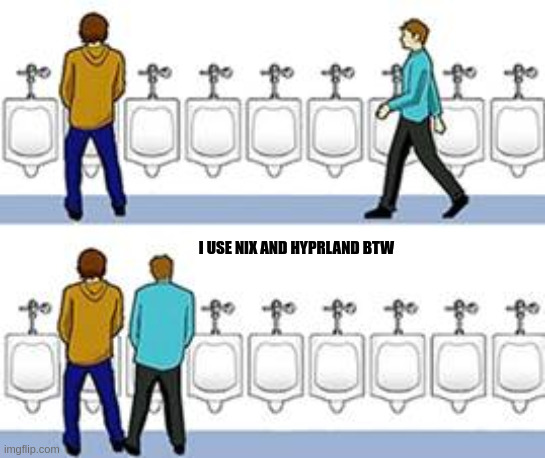
As a Nix and Hyprland user, you quickly realize you are operating in a tiny minority for almost any piece of software you install. Most software, tools, and tutorials are built around the assumption that you are using a traditional, imperative system with a complete desktop environment already provided. They might write to your (now read-only) .zshrc, modify files in their installation directory, or expect to be able to change things in place. This does not always play nicely with the immutable and declarative approach that Nix takes.
A lot of the software available through Nix works because Nix users and maintainers have built bridges between this imperative world and the Nix ecosystem. Most of the time, these bridges work very well. But when they do not, the fact that you are operating outside the assumptions made by the original software becomes painful.
Similar things can happen with Hyprland. For example, when playing Terraria, I ran into a bug where the game would not resize to the full width of the window after starting. Hyprland would automatically resize the window at just the wrong moment, and the game would stay in a weird aspect ratio, only taking about half of the screen. It is the kind of issue that is easy to encounter when using a relatively niche window manager with software that was never designed with that setup in mind.
And to add to that, all the pretty Reddit desktop "rices" and sleek YouTube setups hide a simple truth: bare-bones Wayland compositors leave you in a functional wasteland. Every basic desktop feature you take for granted, a file manager, status bar, application launcher, lock screen, and notification daemon, has to be hand-picked, installed, and configured manually.
At last, managing all of this through Home Manager added yet another
layer of abstraction. Every minor UI adjustment required translating raw
application settings into Nix syntax and running a full
nixos-rebuild
just to preview the change.
At that point, I wasn't using my OS/Desktop to get work done. I was acting as an unpaid UI/UX designer and system integrator. I started sweating every time I needed to connect a USB device, present something on a third screen, or perform some other seemingly trivial task. Things would break, things would be missing, and tasks that should have taken seconds occasionally turned into another configuration problem to solve.
I still think the approaches Nix and Hyprland take in their respective areas are interesting. But that does not change the reality that most software is built around different assumptions. You cannot force the rest of the ecosystem to think the same way you do. And if you choose to be the outsider, you have to be prepared to swim against the current sooner or later and swimming against the current takes time and energy.
Finding a Middle Ground
At some point, I got a bit fed up with all of it. So I decided to abandon Hyprland (even though I really liked its automatic window management and its keyboard driven ergonomics), remove Home Manager almost entirely, and go back to a much simpler configuration.nix file. I also moved my application-specific configuration into a separate repository, keeping each configuration in its respective language (for example, Lua for Neovim).
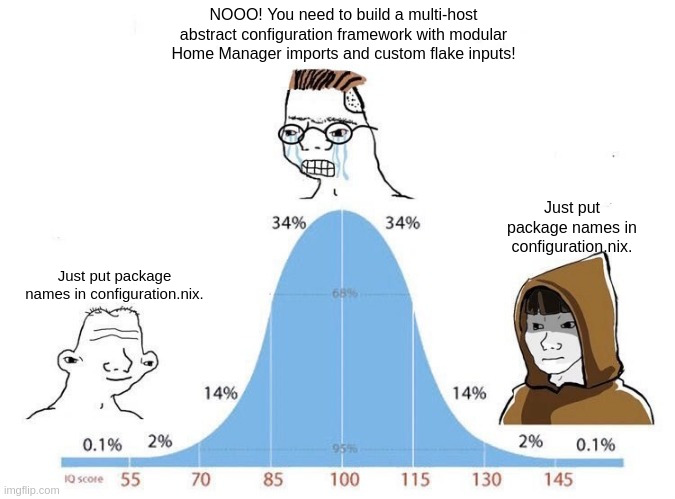
And, at least for now, this has proved to be a good decision. There is no second layer between me and my configuration files, so changing and tweaking things can be done in much faster iterations. Gnome also provides an aesthetically pleasing look and feel while taking care of the basics, such as providing a file manager, without requiring me to research, install, and configure every individual component myself.
Adding new packages became straightforward again: add the package name to configuration.nix, rebuild, and move on. It sounds almost trivial, but after spending so much time configuring my configuration, I found that simplicity surprisingly refreshing.
With that being said, I do miss parts of my previous setup. But this approach finally allowed me to be productive again. Instead of spending time tweaking every little detail and playing my own UI designer, I can simply use something that other people maintain, improve, and update over time.
More importantly, it has allowed me to play to the strengths of NixOS. I can try out new packages, whether they are note-taking apps, browsers, or some random tool I came across, without having to worry too much about maintaining them. I can install something, give it a try, and then either keep it or remove it just as easily.
Was It All Worth It?
Yes! (Or at least I need to convince myself that it was, otherwise I have wasted a lot of my time.)
First and foremost, it taught me a lot more about Linux. Since Hyprland is so bare-bones, I was exposed to concepts such as systemd that I had never really encountered before. I also gained a much better understanding of where things live in the Linux filesystem and how the different pieces of a Linux desktop fit together. Nix has also become another tool in my belt. If a future job or project requires some knowledge of Nix, or a system built around similar ideas, I will not be starting from scratch.
More unexpectedly, I also gained a much greater appreciation for software that simply works. Even things we take for granted, file managers, status bars, application menus, and countless other small conveniences, were designed, built, and maintained by someone who cared enough to make them work without requiring me to think about how they work. As programmers, we are constantly standing on the shoulders of the people who came before us and those who are building things today. They have spent countless hours solving problems so that we do not have to. After spending so much time configuring things that I normally take for granted, I felt that more than ever.
I also believe that, especially for more junior programmers like me, there is value in going from one extreme to another to find the right middle ground for yourself. There is only so much you can learn from reading about other people's experiences and listening to their opinions. By trying things myself, I got to experience the advantages and disadvantages of different approaches firsthand and more importantly work out what I like and what I don't.
Perhaps life is less about walking a perfectly straight path and more about trying things, stumbling from one side of the road to the other, and eventually figuring out where you actually want to walk. At least that is what I felt during this journey.